Your email. On your terms.

A new home
for every
little message.

Move your email between IMAP, Gmail and Microsoft 365. Choose your old mailbox and your new one. Postlane copies your messages and folders while keeping your originals unchanged.

01 connect / 02 map / 03 copy / 04 breathe
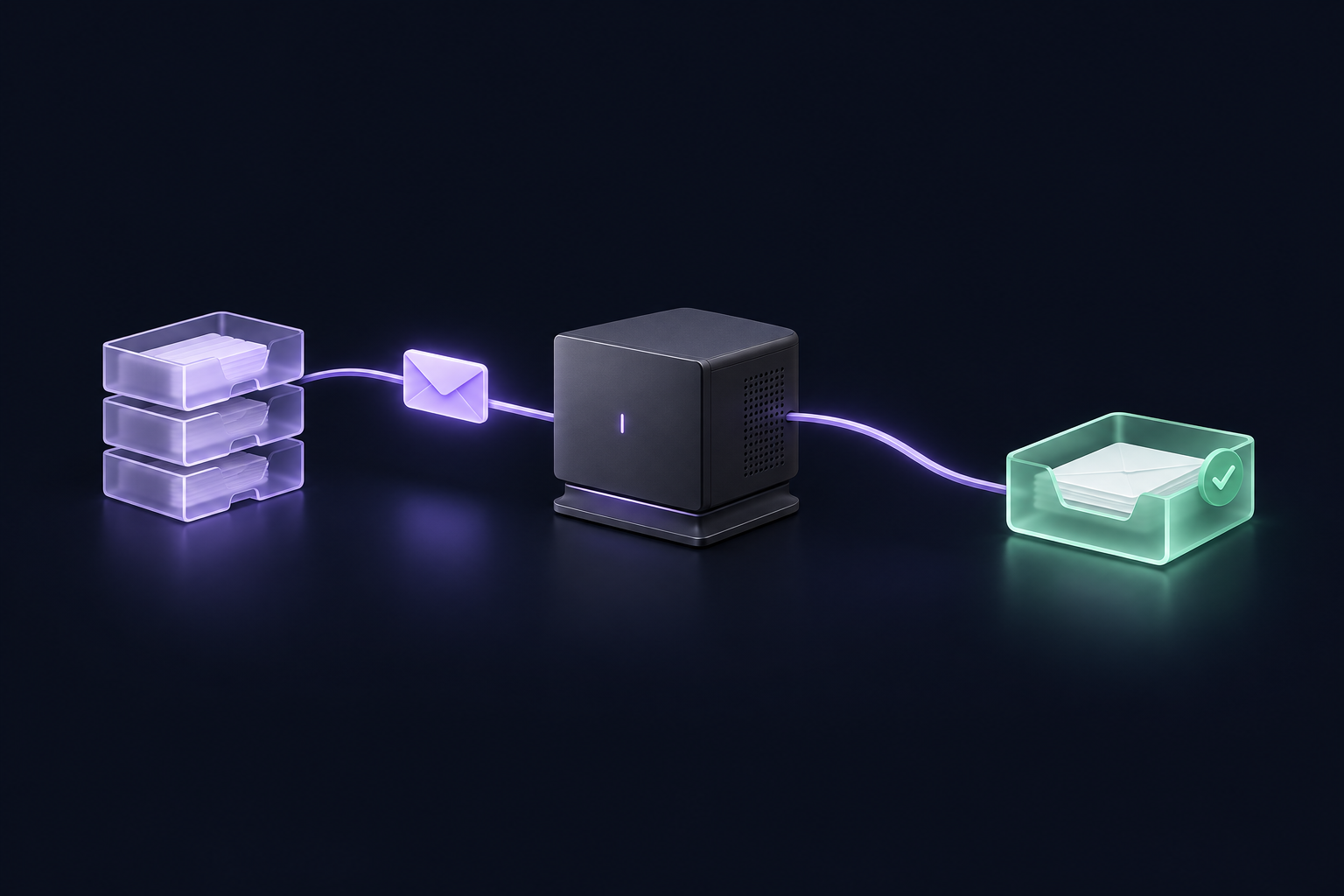
MAIL IN MOTION / 01
A lavender envelope follows a curved route through a desktop hub to a mint inbox.
Your computer. Your route.

Illustration · No live mailbox connection

Choose your endpointsIMAP / TLSGoogle / OAuthMicrosoft / OAuth

Different providers. One simple move.

From a hosting mailbox to Gmail, from Gmail to Microsoft 365, or from Microsoft 365 back to IMAP. Choose the direction that works for you.

  • IMAP→Gmail
  • Gmail→Microsoft 365
  • Microsoft 365→IMAP

Your email is copied. Your originals stay in the old mailbox.

Interactive route lab / simulated data

One route. A few plot twists.

See how the transfer behaves when life happens. This demo runs only in your browser; it does not connect to any account.

SOURCE1,486 messages
→
POSTLANECopy selected folders
→
DESTINATION1,486 copies

Your selected messages are copied to the mapped folders. Originals stay in the source mailbox.

EXAMPLE ONLY / Counts illustrate behavior, not transfer speed or a guarantee.
A closer look / interactive walkthrough

Follow one message.

From its old address to its new home. Explore the route, one step at a time.

MESSAGE ROUTESIMULATED
01 / READ

Start with the original.

Postlane reads the selected message over a verified TLS connection. The original stays in your old mailbox.

ONE MESSAGE / THREE STOPS
The useful kind of control

Built for the “what if?” moments.

[01] FOLDER ROUTING

No mystery destinations.

Review the mapping before you copy. Keep automatic destinations or pick a different home for each folder.

[02] SAVED PROGRESS

A pause, not a reset.

Return through History and reconnect. Postlane checks its own confirmed copies and scans for newly arrived messages.

[03] HUMAN DECISIONS

Changed your inbox?

Restore missing messages or keep destination changes. If a server response is uncertain, review it before trying another copy.

A little more under the hood

Every step. In plain sight.

A clear route from connection to completion. Postlane shows what has been copied and what needs your attention, while your originals stay in place.

An illustrative transfer log. No live mailbox is connected.
POSTLANE / ROUTE INSPECTORDEMO
✓ source.connected [ IMAP ]
✓ destination.connected [ IMAP ]
→ map("Inbox") → "Inbox"
→ originals.mode = "keep"
✓ transfer.complete
└─ 1,486 messages / 0 failures
100%
0
Local
Example complete Originals unchanged
Your mailbox stays your business

A direct route.
No migration middleman.

Email moves through your Windows computer between the providers you choose. It does not pass through a Black Rabbit migration server.

  • Verified TLS connections to your mail providers.
  • Remembered credentials encrypted for your Windows account.
  • Local progress and history. Diagnostic exports are your choice.
Read our privacy policy ↗
SourceMail provider
→
Your PCPostlane
→
DestinationMail provider

Message data uses temporary local files during copying. Transfer metadata stays locally for recovery. These records are not a mailbox backup.

A few things worth knowing

Before you make the move.

Will my original emails stay where they are?

Yes. Postlane copies your selected messages into the destination folders. It leaves your original messages in the source mailbox. It does not change your domain, DNS records or mail delivery settings.

Can I pause and pick this up later?

Yes. Open History and continue a saved transfer. Reconnect the same mailboxes and review the saved folder mappings. Postlane checks its saved progress and skips confirmed copies. A fresh scan also includes messages that arrived since your last run; messages arriving after that scan can be copied in your next run.

What about duplicate messages and Gmail labels?

Saved progress prevents repeat copies that Postlane can confirm from its own records. It is not universal duplicate detection for copies made by other tools or older versions. For Gmail sources, the preview supports one copy per message across selected labels, with a preferred folder you can choose.

Which mailboxes can I connect?

Generic IMAP accounts with verified TLS, Gmail and Microsoft 365 / Outlook.com. Google and Microsoft use browser sign-in. Google access currently depends on configured test users, and work accounts may require administrator approval. Broader provider access is a release requirement, not a promise of this preview.

What happens if I delete a copied email?

If saved progress points to a message that is missing at the destination, you can choose Restore missing messages or Keep destination changes. An uncertain server response may still require review before another copy is safe.

Is Postlane free?

The current edition is a free developer preview for Windows 11 x64 (24H2 or later). It is still being tested and is not yet a signed public release. Any future paid edition will be announced separately.

A little less moving-day chaos

Your next inbox is waiting.

Free developer preview for Windows 11 x64, 24H2 or later.
Public download and broader provider access are still being prepared.

Preview coming soon
POSTLANE / BLACK RABBIT

Privacy Policy

Last updated: 3 November 2026

This notice explains how Postlane handles information in its current desktop edition and how to contact its publisher, Black Rabbit, at [email protected].

Your email takes a direct route

Postlane copies messages between the mailboxes you choose. Email data passes through your Windows computer directly between your mail providers. It is not sent through a Black Rabbit migration server. Original messages remain in the source mailbox.

Information used by the application

The application uses the connection details you provide, your selected folders, message data and transfer metadata to perform the migration. For Google and Microsoft accounts, sign-in takes place in your browser with the provider. Postlane receives authorization tokens to access the selected mail service rather than asking for your provider password.

Google's IMAP interface requires the broad https://mail.google.com/ permission. This permission is broader than Postlane's actions: Postlane reads selected source messages, adds copies to the destination and creates folders when requested. It does not send messages through SMTP or delete source messages. A destination write check may create and remove a new empty test folder.

Local storage and saved connections

Messages use temporary local files during copying. Progress records, folder identifiers, message identifiers, transfer history and diagnostic reports are stored locally for recovery and review. They are not a backup of your mailbox contents. Local records remain on your computer until removed; Black Rabbit does not operate a remote store for these migration records.

If you choose to remember connections, saved credentials and OAuth cache data are encrypted for your Windows user account using Windows data protection. Forget saved connections removes locally remembered credentials and tokens. It does not erase transfer history or revoke permissions at Google or Microsoft. You can revoke access through your provider's account settings. Contact us if you need help locating or removing local application data.

Diagnostics and support

The current desktop edition does not implement advertising or telemetry and does not automatically upload diagnostic reports. A diagnostic export is saved locally when you request it. If you contact Black Rabbit, we receive your contact details and the information you choose to send so that we can respond and investigate the issue. Review reports before sharing them and never send passwords, authorization tokens or unnecessary email content.

Support correspondence is handled for the purpose of responding to your request, based on our legitimate interest in providing support or, where applicable, taking steps at your request in connection with a service. We retain correspondence only for as long as needed to resolve the request and meet applicable legal or dispute-handling obligations. Ask us for information about a particular support record or to request its deletion.

This website and external services

The Postlane theme serves its fonts and artwork locally and does not itself add analytics, advertising trackers or a newsletter service. A website visit still involves technical information such as your IP address and requested URL being processed by the hosting and security infrastructure. WordPress features, Cloudflare settings and separately installed plugins can affect cookies, logs, recipients and retention. This desktop-app notice does not imply that all website infrastructure is free of cookies or logs. Contact [email protected] for details about the site's current configuration.

Your chosen mail providers process the mailbox data under their own privacy notices and account settings. Their services may process data in different countries. Links to external sites take you to services governed by their own notices.

Your choices and rights

You choose the mailboxes and folders, can stop a transfer, can decline to remember connections, and control whether to export or share diagnostics. Where applicable, you may request access, correction, deletion, restriction or portability of personal information held by Black Rabbit, or object to processing. If processing relies on consent, you may withdraw it without affecting the lawfulness of earlier processing. The availability of each right depends on the circumstances and applicable law.

Send privacy requests to [email protected]. You may also lodge a complaint with the competent data protection authority, including the Hellenic Data Protection Authority. Black Rabbit cannot access or erase messages held only in your own mail accounts; those requests should be addressed to the relevant provider or account administrator.

Changes and contact

Changes to Postlane's data handling will be reflected in an updated notice. For questions about the application or this notice, contact Black Rabbit at [email protected].

Open as a page ↗
POSTLANE / BLACK RABBIT

Terms of Use

Last updated: 3 November 2026

Postlane is published by Black Rabbit. These terms describe the intended use and limitations of the current free developer preview. Questions can be sent to [email protected].

What Postlane does

Postlane is a Windows application for copying email between supported mailboxes. You select the source and destination accounts, choose the folders and review their destination mappings. It does not change your DNS records, domain ownership or mail delivery settings.

Permission to use your mailboxes

Use Postlane only with mailboxes and data you own or are authorized to access and transfer. You are responsible for obtaining any permissions required by your organization, account holders or applicable law. Do not use the application to gain unauthorized access, misuse personal information or interfere with another person's mail service.

The current free edition

The current developer preview is available without a usage fee. Black Rabbit permits you to install and use the preview for authorized mailbox migrations, including your own business mailboxes. Third-party components remain subject to their respective licenses. Any future paid edition will have separately presented terms; using this preview does not enroll you in a paid subscription.

Review before and after copying

Check the selected accounts and folder mappings before starting. Keep an appropriate backup of important email, and verify the destination messages and attachments after the transfer. Original messages remain in the source mailbox, but that is not a substitute for an independent backup.

Saved progress can skip confirmed copies recorded by Postlane. It is not universal duplicate detection for messages copied by other tools or older versions. If a previously copied message is missing at the destination, the application can offer a choice to restore it or keep destination changes. Uncertain server responses may require review before another copy is attempted.

Providers and availability

Connection and copying depend on your internet connection, server capacity, account permissions, provider policies and service availability. Google or Microsoft sign-in may require an eligible account, configured test access or administrator approval. Provider limits and authorization changes can prevent or interrupt a transfer.

Preview limitations

This is development software. Features may change, and uninterrupted or error-free operation is not guaranteed. The website's animated diagrams and terminal examples use simulated data; they are not a transfer-speed benchmark or a guarantee of results for your mailbox. Review the requirements and release notes for the version you install.

Nothing in these terms excludes or limits rights or liability that cannot lawfully be excluded or limited. These terms do not promise a support response time, a service-level agreement or future feature availability.

Privacy and support

Read the Privacy Policy for information about local processing, saved credentials and diagnostics. Contact [email protected] for support. Do not include passwords, tokens or unnecessary mailbox content in a support request.

Updates to these terms

Black Rabbit may publish revised terms for future versions. Material changes will be identified with the applicable release or notice. The date above identifies this version of the terms.

Open as a page ↗